A cybersecurity risk assessment is usually something somebody else asks you for. Your insurer's renewal form wants one. A big customer's security questionnaire wants one. Your board heard about a ransomware attack at a company down the road and wants to know "where we stand".
You don't need a consultant to answer that the first time. You need a method and a spreadsheet.
Here's the short answer. A cybersecurity risk assessment lists what you're protecting, names what could go wrong, scores each risk by likelihood and impact, decides what you'll do about each one, and writes it down with owners and dates. The five steps are: (1) scope your assets, (2) name threats and weaknesses, (3) score them on a 5x5 matrix, (4) choose a treatment for each risk, and (5) report it and keep it current. Our free template walks you through all five.
Below you'll find each step in plain language, what a good template contains, the top risks Canadian businesses actually report, the Canadian rules that expect this work, free tools, and an honest answer to "can we do this ourselves?"
Want a second opinion before you start? Our free compliance readiness assessments take a few minutes and show where your gaps are.
Download: Cybersecurity Risk Assessment Template (Excel, free). Nine tabs, a self-scoring 5x5 matrix and a Canadian obligations checklist. No email required.
What is a cybersecurity risk assessment?
A cybersecurity risk assessment is a structured look at your IT and data that answers four questions. What do we have that matters? What could hurt it? How likely is that, and how bad would it be? What are we doing about it?
The output is a risk register: a list of risks, each with a score, an owner, a decision and a date. That register is what your insurer, auditor or customer really wants to see.
The Canadian government's own definition sits in the Cyber Centre's control catalogue. Control RA-03 in ITSP.10.033 says a risk assessment should identify threats and vulnerabilities, estimate how likely and how harmful a compromise would be, including harm to people whose personal information you hold, document the results, and update them on a set schedule or when something significant changes. That last part matters. A risk assessment isn't a one-off report. It's a living document.
ITSP.10.033 is new, by the way. It took effect on 2026-03-31 and replaced ITSG-33 Annex 3A as the Government of Canada's security control catalogue. It lines up with NIST SP 800-53 Rev. 5 (Cyber Centre, ITSP.10.033 foreword). If a government contract asks for a risk assessment, that's now the catalogue it means.
Is a risk assessment the same as a vulnerability scan or a pen test?
No. People mix them up all the time, which is more common than you'd think.
Risk assessment | Vulnerability scan | Penetration test | |
|---|---|---|---|
Question it answers | What could hurt the business, and what do we do first? | Which known flaws exist on our systems right now? | Can a skilled attacker actually get in? |
Who does it | Business and IT together | A tool, run by IT | A specialist tester |
Output | Scored risk register with owners | List of missing patches and misconfigurations | Report of what was exploited and how |
Covers people and process | Yes | No | Partly |
A scan or a pen test feeds the risk assessment. It doesn't replace it. If you need either, our vulnerability management and penetration testing pages explain how those run.
How do you perform a cybersecurity risk assessment?
You run five steps. They follow the same order as NIST's Guide for Conducting Risk Assessments, SP 800-30 Rev. 1 (prepare, conduct, communicate, maintain) and the Canadian Harmonized TRA Methodology that CSE and the RCMP published in 2007. We've just written them for a team without a full-time security person.
Each step fills one tab of the template.
Picture a 40-person accounting firm in Mississauga. It's on Microsoft 365, uses a cloud accounting app, and has an outside IT provider with remote access to every laptop. We'll use it as the example all the way through. It isn't a real client, just a very typical setup.
Step 1: What are you protecting?
List your assets. Not every laptop, just the things the business would miss.
- Data: client files, payroll, personal information, contracts.
- Systems: email, accounting, file storage, line-of-business apps.
- Services: the website, the phone system, online payments.
- Suppliers: your IT provider, cloud apps, payroll service.
For each one, note an owner, where it lives, whether it holds personal information, and a business value from 1 to 5. The Cyber Centre's baseline controls for organisations under 500 staff ask for the same thing before any technical control: understand the value of your information systems and assets (Cyber Centre baseline controls, s.2.3).
Our accounting firm ends up with about a dozen assets. Three are worth a 5: the Microsoft 365 tenant, the accounting app with the bank connection, and the IT provider's remote access tool.
Keep scope honest. If the warehouse network is out of scope this round, write that down. An auditor will forgive a narrow scope. They won't forgive one that's never stated.
Step 2: What could go wrong?
For each important asset, name the threat (who or what could hurt it) and the vulnerability (the weakness that would let them).
Write them in pairs. "Ransomware" on its own isn't useful. "Ransomware through a stolen login on the IT provider's remote tool, because MFA isn't enforced on it" is something you can fix.
If you're stuck, run through this vulnerability assessment checklist. It's also on the Threats tab of the template:
- Is MFA on for every account, including admins and suppliers?
- Are operating systems and apps patched automatically?
- Are backups offline or immutable, and did you test a restore this year?
- Do former staff and old vendor accounts still work?
- Is anything exposed to the internet that shouldn't be, like RDP or an old VPN?
- Would staff spot a fake invoice or a fake help desk call?
- Do your IT and cloud contracts say who handles a breach?
- Is personal information sitting in places you don't expect, like shared drives and inboxes?
- Are laptops and phones encrypted?
- Is there a written incident response plan with phone numbers in it?
Every "no" or "not sure" is a vulnerability. Write it down.
Step 3: How likely is it, and how bad? (the cyber risk assessment matrix)
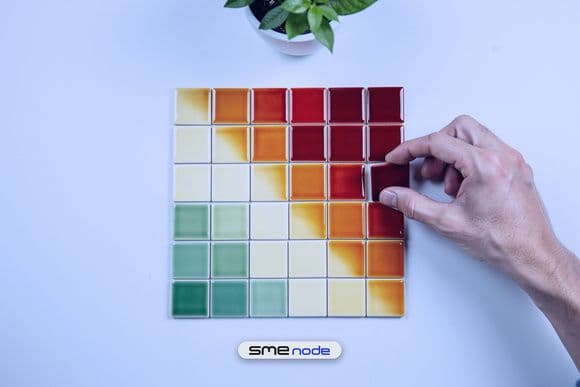
Score each risk on likelihood (1 to 5) and impact (1 to 5), then multiply. That gives a score from 1 to 25. This is the cyber risk assessment matrix everyone talks about, and it's simpler than it looks.
Likelihood | Meaning |
|---|---|
1 Rare | Not expected in the next 5 years |
2 Unlikely | Once in 2 to 5 years |
3 Possible | About once a year, here or at peers our size |
4 Likely | Several times a year |
5 Almost certain | Monthly, or already happening |
Impact | Meaning |
|---|---|
1 Minimal | No personal information exposed, under an hour of disruption |
2 Minor | Internal data only, part of a day lost |
3 Moderate | Some personal information, or a key system down for about a day |
4 Major | A breach that has to be reported to the privacy commissioner, multi-day outage |
5 Severe | Large breach, weeks of disruption, major customers lost |
The template's bands are Low (1-4), Medium (5-9), High (10-16) and Critical (20-25). You can change them on the Start Here tab.
Two rules keep scoring honest. First, agree on dollar thresholds for impact before anyone scores, so "major" means the same thing to the controller and the IT manager. Second, score the risk as it stands today, with the controls you actually have, not the ones you plan to buy.
Our accounting firm scores invoice fraud by email at likelihood 4 and impact 4. That's 16, High. Phishing attempts arrive weekly, and one bad wire transfer would hurt. Ransomware through the IT provider's remote tool scores 3 x 5 = 15, also High.

Step 4: What will you do about each risk?
Every risk gets one of four decisions:
- Mitigate: add or fix a control. This is most of them.
- Transfer: move the financial hit, usually through cyber insurance or contract terms.
- Avoid: stop doing the risky thing. Retire the old VPN, don't store card numbers.
- Accept: live with it, on purpose, in writing.
Each action needs an owner and a due date. Each accepted risk needs a named person who accepted it and a date to look at it again. "We accepted it" with no name is how risks quietly become incidents.
For the accounting firm, the fixes are cheap. A call-back on a known phone number before anyone changes a supplier's bank details. Two approvers above a set amount. MFA on the remote tool, limited to named technicians. Security and breach-notice terms at the next IT contract renewal.
Map each action to a control set so an auditor can follow it. For a small Canadian organisation, the Cyber Centre's 13 baseline controls are the easiest fit. For a federal contract, use the ITSP.10.033 control IDs.
Step 5: How do you write the risk assessment report and keep it current?
Your cyber security risk assessment report doesn't need to be long. One page usually does it:
- Date, scope and who took part
- Method (for example "5-step, 5x5 matrix, aligned to NIST SP 800-30")
- How many risks at each rating
- The top 5 risks, their owners and dates
- Risks accepted, and who accepted them
- Next review date, with a signature
Then keep it alive. Re-run the assessment at least once a year. Do it sooner when something big changes: a new system, a merger, a breach, a new regulation, a new major supplier. ITSP.10.033 RA-03 asks for exactly that: an update on a set schedule, and again whenever a significant change could affect your security or privacy. Log each review in the template's Review Log tab so you can prove it happened.
What should a cyber risk assessment template include?
A good cyber risk assessment template is just the five steps in spreadsheet form, with the scoring done for you. Here's what's in ours:
Tab | What it does |
|---|---|
Start Here | Instructions, likelihood and impact scales, editable rating bands |
1 Assets | Asset list with owner, location, personal information flag and value |
2 Threats | Threat and vulnerability pairs, plus the checklist above |
3 Risk Register | Risk statements with automatic score, rating and residual score |
Matrix | A 5x5 heat map that counts your risks in each cell |
4 Treatment Plan | Actions, owners, dates, cost and risk acceptance sign-off |
5 Summary | Counts by rating, open High and Critical risks, report header |
Canadian Obligations | PIPEDA, Law 25, OSFI B-13, CPCSC, Bill C-8, plus the 13 baseline controls |
Review Log | Every review, what triggered it and what changed |
Three example rows show how a filled-in row looks. Delete them before you start. It also works as an IT risk assessment template, since nothing in it is security-only.
Download the free template (Excel).
Which other templates and frameworks are worth knowing?
You'll see these names in questionnaires and contracts. Here's what each one is for:
Framework | Best for | Notes |
|---|---|---|
NIST SP 800-30 Rev. 1 | The method itself | The most widely cited NIST risk assessment framework. Free. 2012, still current |
NIST CSF 2.0 | Overall programme | Published 2024-02-26. Risk assessment is category ID.RA under Identify (NIST) |
ITSP.10.033 | Government of Canada work | Current Canadian catalogue since 2026-03-31. Risk controls are RA-01 to RA-10 |
Harmonized TRA (TRA-1) | Federal and Protected B systems | CSE and RCMP, 2007. Ships with asset, threat and residual-risk templates |
ISO/IEC 27005 | ISO 27001 certification | The risk method behind an ISO 27001 programme |
CIS RAM | Teams already using CIS Controls | Ties risks to the CIS safeguards |
Which cyber security risk assessment framework should you pick? For most private Canadian companies, NIST SP 800-30 with the Cyber Centre baseline is enough. If you hold or process Protected B information, or a contract names ITSG-33 or ITSP.10.033, you're in Harmonized TRA territory. That's where a formal threat risk assessment earns its fee.
What are the top 5 cybersecurity risks for Canadian businesses?
Use Canadian data, not a US vendor's top-10 list. Statistics Canada's latest cyber security survey covers 2023. 16% of Canadian businesses were hit by a cyber security incident, down from 21% in 2019. But recovery spending doubled to about $1.2B, up from roughly $600M in 2021 (Statistics Canada, 2024-10-21). Fewer incidents, more expensive ones.
Here's what we'd put in almost every Canadian register:
- Scams and fraud, including phishing and invoice fraud. The most common method in 2023, at 50% of impacted businesses (StatCan).
- Identity theft and stolen logins. 31% of impacted businesses, up 11 points from 2021 (StatCan).
- Ransomware. 13% of impacted businesses in 2023, up from 11%. The Cyber Centre's National Cyber Threat Assessment 2025-2026 calls it the top cybercrime threat to Canada's critical infrastructure.
- Suppliers and outsourced IT. Your IT provider's access is your access. The Cyber Centre puts "secure cloud and outsourced IT services" in its 13 baseline controls, and the privacy commissioner has just drafted guidance on it (below).
- Unpatched and exposed systems. Old VPNs, remote desktop open to the internet, missed updates. Automatic patching is baseline control number two.
One more StatCan number belongs in your board report: only 26% of Canadian businesses had a written cyber security policy in 2023. A dated risk assessment puts you ahead of most of your peers.

Which Canadian rules expect a cybersecurity risk assessment?
No single Canadian law says "every business must do a risk assessment". But several rules can't be met without one. Here's the short list, also on the template's Canadian Obligations tab:
Rule | Who | What it wants from your risk work |
|---|---|---|
Private-sector organisations handling personal information | Safeguards that match the data's sensitivity. Report breaches with a "real risk of significant harm" to the OPC and keep a record of every breach for two years (OPC) | |
Anyone holding personal information of people in Quebec | A register of every confidentiality incident (s.3.8 of the Private Sector Act), and a privacy impact assessment for information-system projects | |
OSFI B-13 | Federally regulated financial institutions | Technology and cyber risk management, in force since 2024-01-01 (OSFI) |
CPCSC Level 1 | Defence suppliers | Required at contract award in select defence contracts from summer 2026 (PSPC, 2026-04-14) |
Bill C-8 | Designated critical-infrastructure operators | Royal Assent 2026-06-15 (Public Safety Canada). The Critical Cyber Systems Protection Act part isn't in force yet, and no operators have been designated |
Look at PIPEDA's breach test. To decide whether a breach is reportable, you weigh how sensitive the information is and how likely it is to be misused. That's a risk assessment done under pressure, in the worst week of your year. Teams that already scored their personal-information risks in step 3 make that call in hours, not days.
The fines are real too. Knowingly breaking PIPEDA's breach reporting and record-keeping rules is an offence, with fines of up to $100K on indictment.
What about third-party cyber risk assessment?
A third party cyber risk assessment applies the same five steps to a supplier instead of to yourself. What do they hold of ours? What could go wrong? Are their controls good enough?
It just got more pressing. On 2026-09-10, the Office of the Privacy Commissioner published draft guidance on assessing third-party service providers, open for comment until 2026-12-04 (OPC news release). The message: check a provider's privacy and security before you sign, then keep checking. Our third-party risk page covers how to build that into procurement.
What are the best cyber security risk assessment tools?
Start free. Most small and mid-sized teams don't need a paid platform for their first two rounds.
Tool | Cost | What it's good for |
|---|---|---|
Our Excel template | Free | The register, matrix and report. Works in Excel and Google Sheets |
Free | A desktop tool that checks your IT and OT practices against recognised standards | |
Built into the Microsoft Defender portal | Shows which security settings you've turned on, and lets you mark a risk as accepted. Microsoft is clear that it isn't a measure of how likely you are to be breached | |
Vulnerability scanners (Nessus Essentials, OpenVAS/Greenbone) | Free tiers | Feeds step 2 with real flaws. Free tiers cap how many hosts you can scan, so check the current limit |
GRC platforms | Paid | Worth it once you're tracking several frameworks. See what is GRC |
A tool scores settings. It doesn't know that your controller approves wire transfers from a phone in a hotel lobby. Only people know that. Use tools to feed the register, not to replace the conversation.
Can I write my own risk assessment?
Yes. For most private Canadian organisations under 500 staff, a self-assessment done with this method is a perfectly good first version. It's what your insurer's questionnaire and most customer due-diligence forms are asking for.
Get the right people in the room, though. A risk assessment written by IT alone usually misses the business risks, like the wire-transfer process. One written by finance alone misses the technical ones. You want the owner or a senior manager, whoever runs IT, whoever handles money, and whoever owns client data.
DIY stops being enough when:
- You hold or process Protected B information, or a contract names ITSG-33, ITSP.10.033 or the Harmonized TRA
- You're going for CPCSC Level 2 or above, SOC 2 or ISO 27001 certification
- You're federally regulated and OSFI B-13 applies
- Your insurer or a major customer asks for an independent assessment
- You've had an incident and need an outside view for the board or the regulator
That's when cyber risk assessment services earn their keep. An outside assessor brings threat context you don't have, and their signature carries weight with auditors. Our threat risk assessment follows the Harmonized TRA structure against the current ITSP.10.033 catalogue and ends with a register your team can act on. If you'd rather keep someone watching after the assessment, read what a managed security service provider does.

Can ChatGPT do a risk assessment?
It can help you draft one. An AI assistant is good at brainstorming threats for a type of business, or rewording a risk statement. It can't know your systems, your contracts or your controls, and it will confidently score risks it can't see.
Two cautions. Don't paste client names, personal information or network details into a public AI tool, because that can itself become a privacy problem under PIPEDA or Law 25. And have a person own every score. An auditor will ask who decided, and "the chatbot" isn't an answer.
How much does a professional cyber risk assessment cost?
There's no reliable published Canadian price list, and we won't invent one. What moves the price is scope:
- Number of sites, systems and cloud tenants in scope. The biggest driver.
- Method required. A NIST-style assessment is lighter than a full Harmonized TRA for a Protected B system.
- Testing included. A scan or a pen test adds days.
- Who must be interviewed. Each department adds sessions.
- The report's audience. A board summary is quicker than a document a federal security officer will review line by line.
Do steps 1 and 2 of the template yourself before you ask for quotes. An assessor who gets a clean asset list and threat list on day one can give a tighter price, and you pay for analysis instead of inventory.
Frequently asked questions
How often should you do a cybersecurity risk assessment?
At least once a year, and again after any significant change: a new system, a merger, a breach or a new regulation. ITSP.10.033 RA-03 leaves the exact frequency to each organisation, but it expects one to be set and followed.
What's the difference between a qualitative and a quantitative risk assessment?
Qualitative scores risks on a scale, like our 1 to 5. Quantitative puts dollar figures on likelihood and loss, as FAIR does. Start qualitative. Move to quantitative when your board wants dollars and you have the incident data to back them.
Is a cybersecurity risk assessment required by law in Canada?
Not by one general law. But PIPEDA's safeguard and breach rules, Quebec's Law 25, OSFI B-13 for financial institutions, and CPCSC for defence suppliers all assume you've assessed your risks. Insurers and large customers increasingly ask for a dated copy too.
Who should own the risk register?
One senior person, usually the COO, CFO or IT lead. Each risk has its own owner. The register owner makes sure reviews happen and accepted risks get looked at again.
Where can I get help in my city?
We're based in North York and work with organisations in Toronto, Montreal and Ottawa.
Where do you go from here?
Bottom line: a cybersecurity risk assessment is five steps and a spreadsheet, not a six-month project. Download the template, book two hours with the right four people, and get a first register on paper this month. It'll be imperfect, and that's fine. A dated, owned, imperfect register beats a perfect one that doesn't exist.
When the stakes go up (Protected B data, a defence contract, an OSFI review, an insurer asking for independence), bring in a second set of eyes.
Need an independent assessment? Talk to our team. We'll tell you plainly whether your DIY register is enough or whether a formal threat risk assessment is worth it.